
|
|
 |
 |
 |
Books for transfer come into Special Collections in a variety of ways: they can be found at random by staff, students, or faculty, a collection manager can locate them while weeding their collection, found through LUIS searches, or a planned transfer. Rare Books may receive the book itself, a single volume of a multi-volume set, or a LUIS print-out. In any event, the first thing to do is bring the volume(s) physically into Special Collections, get a print-out from LUIS, and put it in the book.
 TRANSFER
    MISSING VOLUMES


 CALL #


 # OF VOLS IN FULL SET____________


 MISSING VOLS:


 LUIS HOLDINGS INDICATE MISSING VOLS?

 YES_____    NO_____

 IF NO, CHECK SHELF

 	LUIS LOC_____ Where LUIS says they should be.

	RARE______Just in case, also check our shelves.


 DATE_____________________________


 INITIALS
|
If the missing volumes cannot be located, a note indicating the missing volumes will be put in the LUIS record.
Any indication that the book was shelved in another library must be changed. This will most commonly be located on the bookplate, the inner back board, or the verso of the title page. The old location should be crossed out and the "Rare Books" location added. Do not obliterate the old location; a simple crossing-out is sufficient and we do need to be able to easily read the old location. If the old location is stamped, use the "Rare Books Collection" stamp.
BOOKPLATE
 |
 |
CALL NUMBER
 |
 |
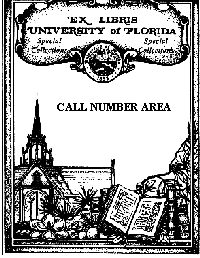
If the book does not have a University of Florida bookplate, add a Special Collections bookplate. It should be attached to the front pastedown endpaper with two small (pinhead) drops of PVA glue. It is to be placed so that it does not obscure any previous owners' bookplates or markings. If this is not possible, it should be placed so that the already present markings or bookplates can be seen if the bookplate is turned up. The call number is also written on the bookplate.
All books must have an acid-free "Rare Books" call number slip 2½" in width. If the book is 31-40 cm., the slip will be marked "Oversize"; "Folio" if over 40 cm. They are placed between the paste-down and free front endpapers. The call number is written so it can be easily seen.
 |
 |
In the technical side of LUIS (LTUF) in the holding screen, the location code needs to be changed from the transferring library to rare books and a note added to the record to indicate the transfer, when done, and by who.
Everyone, staff or student, involved in transferring books will be assigned a user id and a password to access LTUF through telnet. On the opening screen, under command, type "nernotis" and enter.
         NNN     NNN   EEEEEEEEEE   RRRRRRRRRR    DDDDDDDDD       CCCCCCCC
        NNNN    NNN   EEE          RRR     RRR   DDD    DDDD    CCCC   CCC
       NNNNN   NNN   EEE          RRR     RRR   DDD      DDD   CCC
      NNN NN  NNN   EEEEEEEEE    RRRRRRRRRRR   DDD      DDD   CCC
     NNN  NN NNN   EEEEEEEEE    RRRRRRRRR     DDD      DDD   CCC
    NNN   NNNNN   EEE          RRR  RRR      DDD      DDD   CCC
   NNN    NNNN   EEE          RRR   RRR     DDD     DDD    CCCC    CCC
  NNN     NNN   EEEEEEEEEE   RRR    RRR    DDDDDDDDDDD     CCCCCCCCC

 Enter a Service Name or tab to a name and press Enter.      Term Id  - TEDVI180
 (Only one service may be active at a time.)                 Term Type- 3192-2AG

     Service     Description                                 Status
   _ SIGNON      Signon to NERDC Services
   _ LUIS        Library User Information Service
   _ UFINFO      Campus Information Server
   _ DOCSYS      NERDC Documentation System
   _ NERUTIL     NERDC Interactive Utilities
   _ SAMAS       SAMAS CICS

 Command or Service Name ===>nernotis

 TPX release 4.1
 PF1=Help  /k=Logoff
|
On the next screen, type "29" for Staff Signon and enter.
LUIS Menu USER1R 05/11/99 12:31:48 TEDVI180 NERNOTIS
Type h and press
|
This will give you the screen for your logon where you enter your userid and password..
 NERNOTIS  05/11/99  *** NERDC CICS RACF Sign-on ***  1999.131 12:35:30 TEDVI180
 PRD3                                                                       $CHR
                            CICS Release  410

                     CCCCCCC    IIIII    CCCCCCC     SSSSS
                    CCCCCCCC   IIIII    CCCCCCCC   SSSSSSS
                   CCCC  CC    III     CCCC  CC   SSSS  SS
                  CCC         III     CCC         SSSS
                 CCC         III     CCC           SSSS
                CCCC  CC    III     CCCC  CC   SS  SSSS
               CCCCCCCC   IIIII    CCCCCCCC   SSSSSSSS
               CCCCCCC   IIIII     CCCCCCC    SSSSS


                 USERID:         FCLXXX   (or LOGOFF)
                 PASSWORD:
                 New Password:            (Type your new password in twice for)
                 New Password:            (verification, then ENTER once.)
                 START Transid:

               PF1=Help  PF3=Logoff  PF4 or CLEAR=Exit to CICS
               ENTER your USERID and PASSWORD to sign-on to CICS.
|
This will give you a screen saying "Sign-on Complete" and your userid. Click on the "Clear" button to empty the screen and then type "LTUF" and enter. This will bring you to the first screen of LTUF.
 LTUF
                                               NOTIS 5.1 COPYRIGHT NOTIS SYSTEMS

           ********************************************************
           ***  WELCOME TO THE NOTIS TECHNICAL SERVICES SYSTEM  ***
           ********************************************************
Technical Services includes Cataloging, Authorities, Acquisitions, and Serials.

  Common methods for searching the Bibliographic Index are:
              FIND JA=  to search by AUTHOR
              FIND JT=  to search by TITLE
              FIND JS=  to search by SUBJECT
              FIND JX=  to search in 'Dictionary' mode
  You may also search the Bibliographic File by call number and standard number.

  Searching A, T, and S without the J prefix will route you directly to OPAC.

  When presented with a guide or index display, type the number on the left.
  Use the NEXT and PREV commands to display next and previous records.

  You may directly display Bibliographic, Authority, Holdings, Mhld, Item,
  Order, Vendor, and Invoice records by searching their record numbers.
|
The commands in LTUF are close to, but not the same as in LUUF, the public side. For nearly all your searches, the call number should be sufficient.
To search Dewey numbers, use: find cd=
To search Library of Congress numbers, use: find cl=
To search other classifications, use: find co=
The following will go through the procedure, step-by-step, using a real transfer.
 LTUF      fin cd=871 H5.Xd 1718
                                               NOTIS 5.1 COPYRIGHT NOTIS SYSTEMS

           ********************************************************
           ***  WELCOME TO THE NOTIS TECHNICAL SERVICES SYSTEM  ***
           ********************************************************
Technical Services includes Cataloging, Authorities, Acquisitions, and Serials.

  Common methods for searching the Bibliographic Index are:
              FIND JA=  to search by AUTHOR
              FIND JT=  to search by TITLE
              FIND JS=  to search by SUBJECT
              FIND JX=  to search in 'Dictionary' mode
  You may also search the Bibliographic File by call number and standard number.

  Searching A, T, and S without the J prefix will route you directly to OPAC.

  When presented with a guide or index display, type the number on the left.
  Use the NEXT and PREV commands to display next and previous records.

  You may directly display Bibliographic, Authority, Holdings, Mhld, Item,
  Order, Vendor, and Invoice records by searching their record numbers.
|
 LTUF DONE                                                     AJD5918
                                                 NOTIS CATALOGING          I0RM
 UF FMT B RT a BL m T/C   DT 05/11/92 R/DT 05/12/92 STAT nn E/L K DCF   D/S D
 SRC d PLACE enk LANG eng MOD   T/AUD   REPRO   D/CODE s DT/1 1719 DT/2
 CONT      ILLUS      GOVT   BIOG   FEST 0 CONF 0 L/FORM 0 INDX 0

 035/1:  : |a (OCoLC)24046142
 040:  : |a IXA |c IXA |d FUG
 041:1 : |a englat |h lat
 049:  : |a FUGG
 090/1:  : |a PA6396.A2 |b D859 1719
 099/1:  : |a 871 |a H5.Xd |a 1719
 100:0 : |a Horace.
 245:00: |a Satires, Epistles, and Art of poetry, |b done into English. With
notes. |c By S. Dunster.
 250:  : |a 3d ed., corr.
 260:  : |a London, |b Printed for D. Browne, W. Mears and F. Clay, |c 1719.
 300/1:  : |a iv, 471 p. |c 20 cm.
 500/1:  : |a Latin and English on opposite pages.
 599/1:  : |a c92-na/tkr
 700/1:10: |a Dunstar, |c Mr. |q (Samuel), |d 1675-1754, |e ed. and tr.
|
This is the bibliographic view with all of the MARC (MAchine Readable Cataloging) tags. Rarely will this be used in transfers. To get to the holdings screen, use F5. To go back to the bibliographic screen, use F6. But, before going anywhere, make sure this record matches the book in hand. It is not unusual for the LUIS record to not match the book. Especially important are the publication information (in 260) and the edition information (in 250). Then, as some books have been in limbo for so long they have been declared missing, use F10 to look at the public LUIS screen.
LTUF                                                         AJD5918

                                                                     Long View
                                                 University of Florida (UF)
------------------------------  Screen 1 of 1  -------------------------------
Author, etc.:    Horace.
Title:           Satires, Epistles, and Art of poetry, done into English. With
                   notes. By S. Dunster.
Edition:         3d ed., corr.
Published:       London, Printed for D. Browne, W. Mears and F. Clay, 1719.
Description:     iv, 471 p. 20 cm.
Notes:           Latin and English on opposite pages.
Other author(s), etc.:
                 Dunstar, Mr. (Samuel), 1675-1754, ed. and tr.
------------------------------------------------------------------------------
LOCATION:               CALL NUMBER:               STATUS:
 LIBRARY WEST            871 H5.Xd 1719             Not checked out


------------------------------------------------------------------------------
|
If the book has been declared missing, give it to a rare books staff member.
As this title has not been declared missing, move to the holdings screen.
 LTUF DONE                                                     AJD5918
                                                 NOTIS COPY HOLDINGS       I0RM
 UF BOOKS OCLC 24046142
Horace.
  Satires, Epistles, and Art of poetry, done into English. With notes. By S.
Dunster. -- 3d ed., corr. -- London, Printed for D. Browne, W. Mears and F.
Clay, 1719.
 STATUS h DT 05/11/92 AD none
 NOTES
 001 1D CN |a main |b 871;H5.Xd;1719                                 |d 05/11/92
     NOTES
     ITEM RECORDS     1
 002 0A CN                                                           |d 08/23/99
     NOTES
 003 0A CN                                                           |d 08/23/99
     NOTES
 004 0A CN                                                           |d 08/23/99
     NOTES
 005 0A CN                                                           |d 08/23/99
     NOTES
 006 0A CN                                                           |d 08/23/99
     NOTES
|
First check to see if there are any additional copies in the same or other locations. If so, follow the same procedure as for multi-volume sets, only use "Copies" for "Vols." All copies published before 1830 should be in Rare Books. If published later, ask the curator.
This is the critical part of the location change; it will go from this:
NOTES
001 1D CN |a main |b 871;H5.Xd;1719                                 |d 05/11/92
    NOTES
    ITEM RECORDS     1
|
To this:
NOTES
001 1D CN |a main,rare |b 871;H5.Xd;1719                            |d 05/11/92
    NOTES trans from main 08/23/99 jab
    ITEM RECORDS     1
|
And, that's all there is to it. With one exception, of course. If it is a multi-volume set and one or more volumes cannot be found, the bibliographic record will need an entry:
590::Library lacks vols. 5-6, 12. |
END